Configuring Logitech mouse using Solaar
I am using Logitech MX Master 3S mouse. It has quite a lot of buttons and extra horizontal wheel which can be configured for extra actions.
I decided to use Solaar. Potential alternatives: piper and logiops.
Useful documentation for configuring Logitech MX Master mouses at Arch Wiki
Installing Solaar on NixOS
NixOS is a Linux distribution which is configured using Nix language.
- Add
solaartoenvironment.systemPackages - Set
hardware.logitech.wireless.enable = true;which will enableudevrules needed for Solaar. - Restart udev rules using
sudo udevadm control --reload
sudo udevadm trigger
I also symlink Solaar rules in my configuration repository to ~/.config/solaar/rules.yaml using home-manager. That allows to share the same configuration across multiple computers.
Configuring Solaar rules
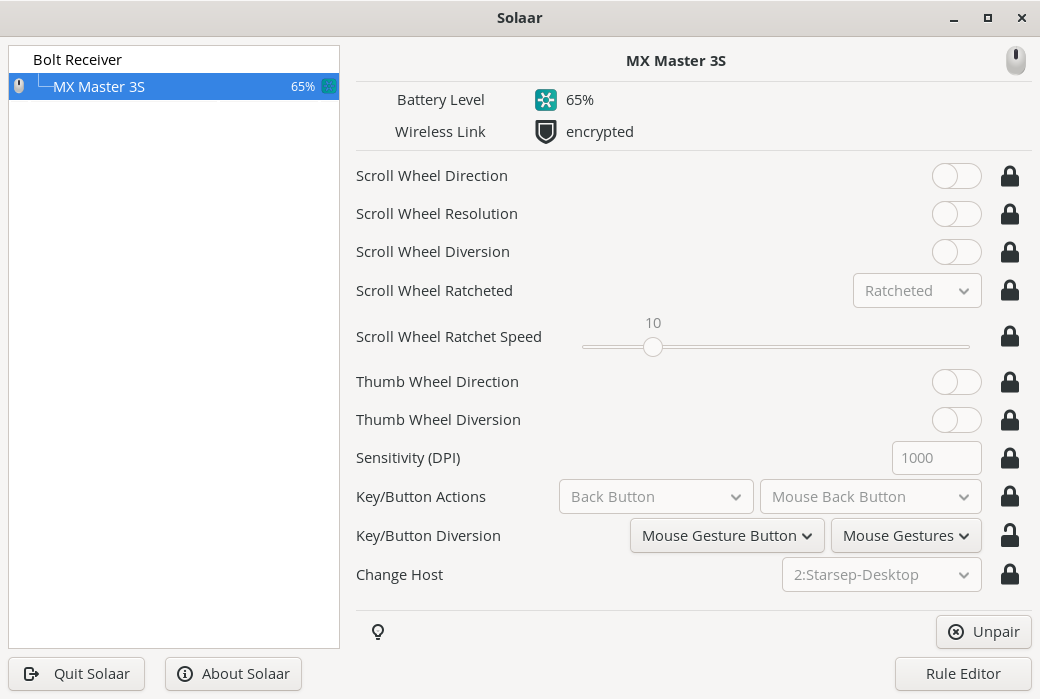
- Launch Solaar and make sure that you see your mouse settings

- Enable
Key/Button Diversion->Mouse Gesture Button->Mouse Gestures - Rules can be edited with
Rule Editor
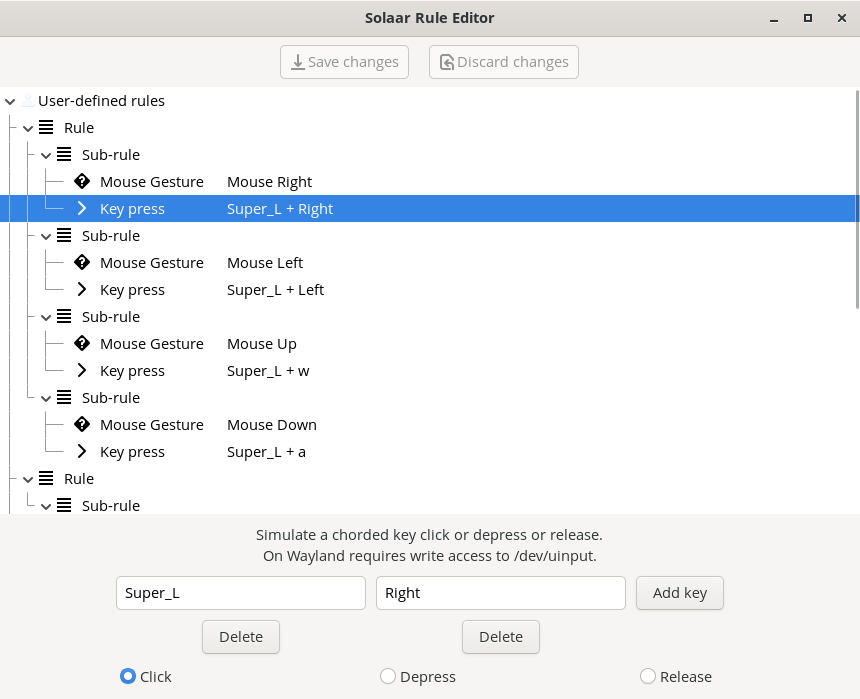
- details are displayed after selecting a rule
- to add new rules use menu after right-clicking
- Gestures are started with
Gesture Buttonwhich is on the button of the mouse and clicked with a thumb.
- For example clicking
Gesture Buttonand then moving to the right will triggerSuper+Rightwhich on my desktop moves to right window/workspace.
- Rules can be also edited in
~/.config/solaar/rules.yamlfile. - Example config which enables mouse gestures in each direction and forward/back buttons for copying and pasting.
%YAML 1.3
---
- Rule:
  - MouseGesture: Mouse Right
  - KeyPress:
    - [Super_L, Right]
    - click
- Rule:
  - MouseGesture: Mouse Left
  - KeyPress:
    - [Super_L, Left]
    - click
- Rule:
  - MouseGesture: Mouse Up
  - KeyPress:
    - [Super_L, w]
    - click
- Rule:
  - MouseGesture: Mouse Down
  - KeyPress:
    - [Super_L, a]
    - click
...
---
- Rule:
  - Key: [Forward Button, pressed]
  - KeyPress:
    - [Control_L, c]
    - click
...
---
- Rule:
  - Key: [Back Button, pressed]
  - KeyPress:
    - [Control_L, v]
    - click
...